Accept Payments on Shopify in Ukraine with Tranzzo
Shopify Payments is not available for businesses in Ukraine, so merchants need alternative solutions to accept online payments.
Tranzzo provides a Shopify payment solution for Ukraine that allows you to accept online payments, enable Apple Pay, Google Pay, and installment payments without relying on Shopify Payments.
With this solution, you can fully implement Shopify payments in Ukraine and accept payments from customers worldwide.
What is Tranzzo’s Shopify solution
The Tranzzo Shopify solution is a hosted checkout or redirect-based payment integration that enables you to build a complete payment flow in Shopify tailored to the Ukrainian market.
It allows you to adapt your checkout to:
- local payment methods
- Ukrainian banks
- delivery services
- business and regulatory requirements
This solution works as a Shopify Payments alternative and enables a fully functional Shopify checkout with payments.
You get:
- online payment acceptance
- support for local payment methods
- flexible checkout configuration
This is the easiest way to integrate payments into Shopify in Ukraine without complex development.
Key features
Payment methods
- Visa / Mastercard (all banks)
- Apple Pay on Shopify
- Google Pay on Shopify
Installment payments
- Monobank
- PrivatBank
- Oschadbank
- PUMB
Installment payments help increase conversion, especially for mid- and high-ticket products.
Delivery selection on the payment page
- Nova Poshta
- Ukrposhta
- Meest
- Courier delivery
Customers can enter delivery and recipient details during checkout, reducing friction and improving conversion.
Additional features
- Checkout design customization
- Abandoned payment reminders
- Refunds via merchant portal
- Fiscalization support (PRRO)
Refund operations can only be performed through the merchant portal.
Additionally, the order status in Shopify must be updated after a refund is processed.
How to integrate payments into Shopify
This solution allows you to quickly set up Shopify payment integration in Ukraine.
- Sign up with Tranzzo
https://space.tranzzo.com/signup - Verification and agreement
Submit required documents and complete verification. - Get access to the app
After approval, you will receive access to the Shopify solution. - Connect to your Shopify store
Activate payments and configure integration.
Shopify integration options
1. Tranzzo hosted payment page (recommended)
- full checkout experience
- supports all payment methods
- higher conversion
Best option for implementing a hosted payment page for Shopify.
2. Payment button / redirect
- display a button or banner on your store
- redirect customers to the payment page
Suitable as a basic option for adding payments to Shopify.
Both options can be used together.
How the payment flow works
- Customer places an order in Shopify
- Redirected to the Tranzzo payment page
- Enters delivery details (delivery service, city, branch or address)
- Enters recipient details (name, phone, contact info)
- Selects payment method (card, Apple Pay, Google Pay, installments)
- Confirms the payment
- Returns to the store after successful payment
This ensures a reliable Shopify payment flow.
Payment flow example
Checkout
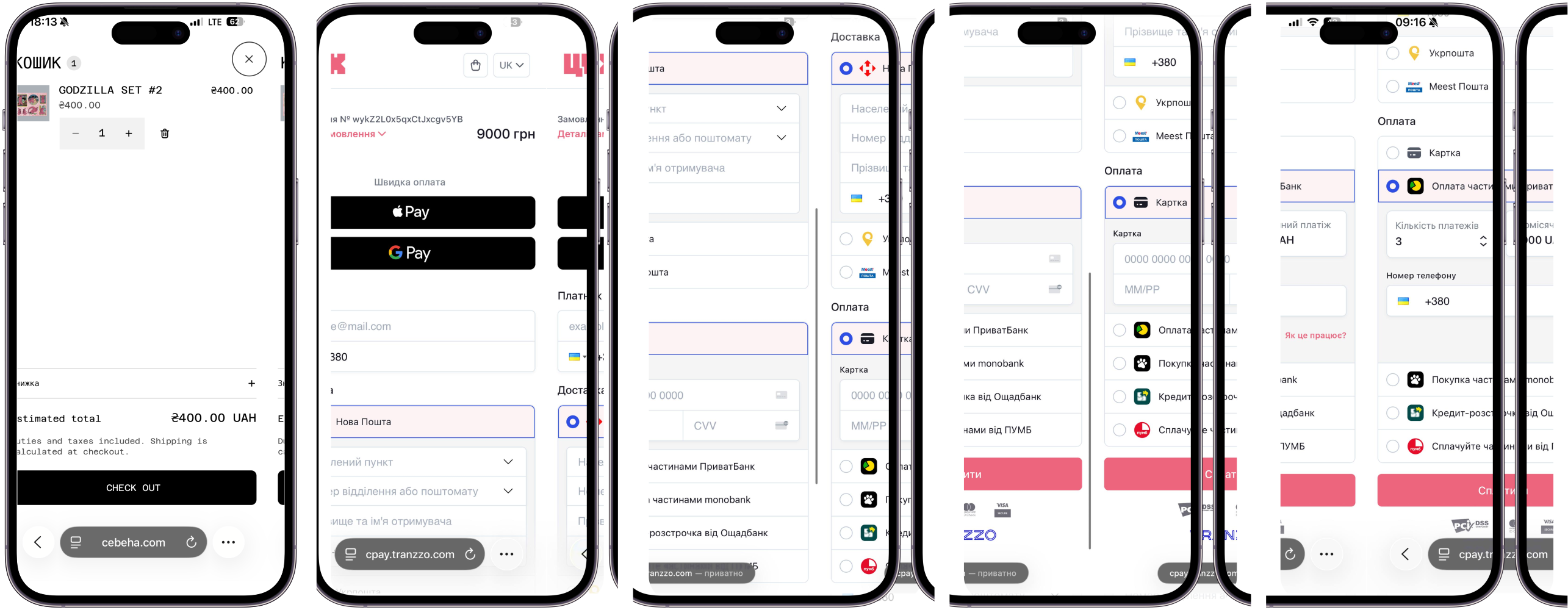
Banner
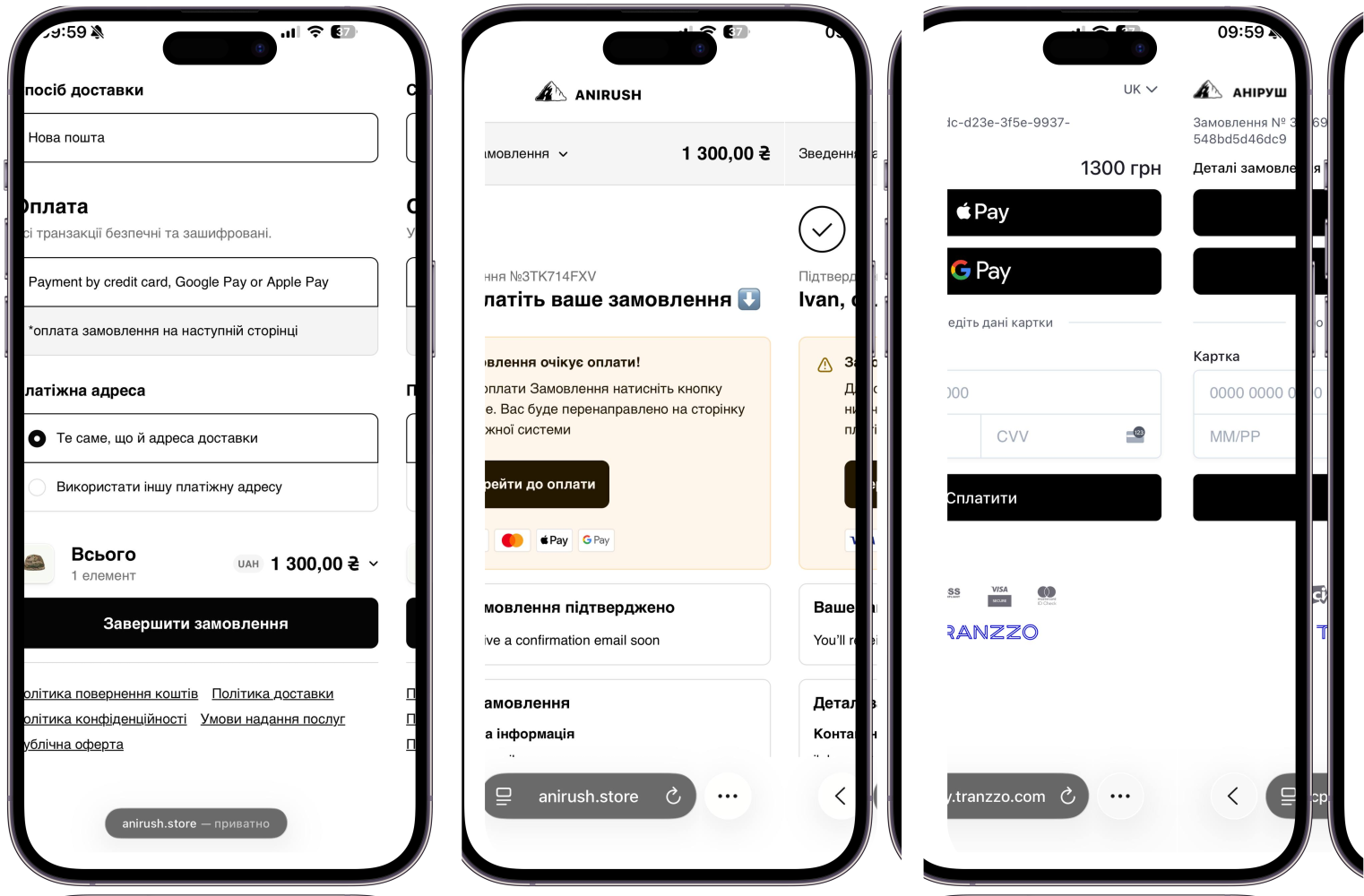
Orders in Shopify
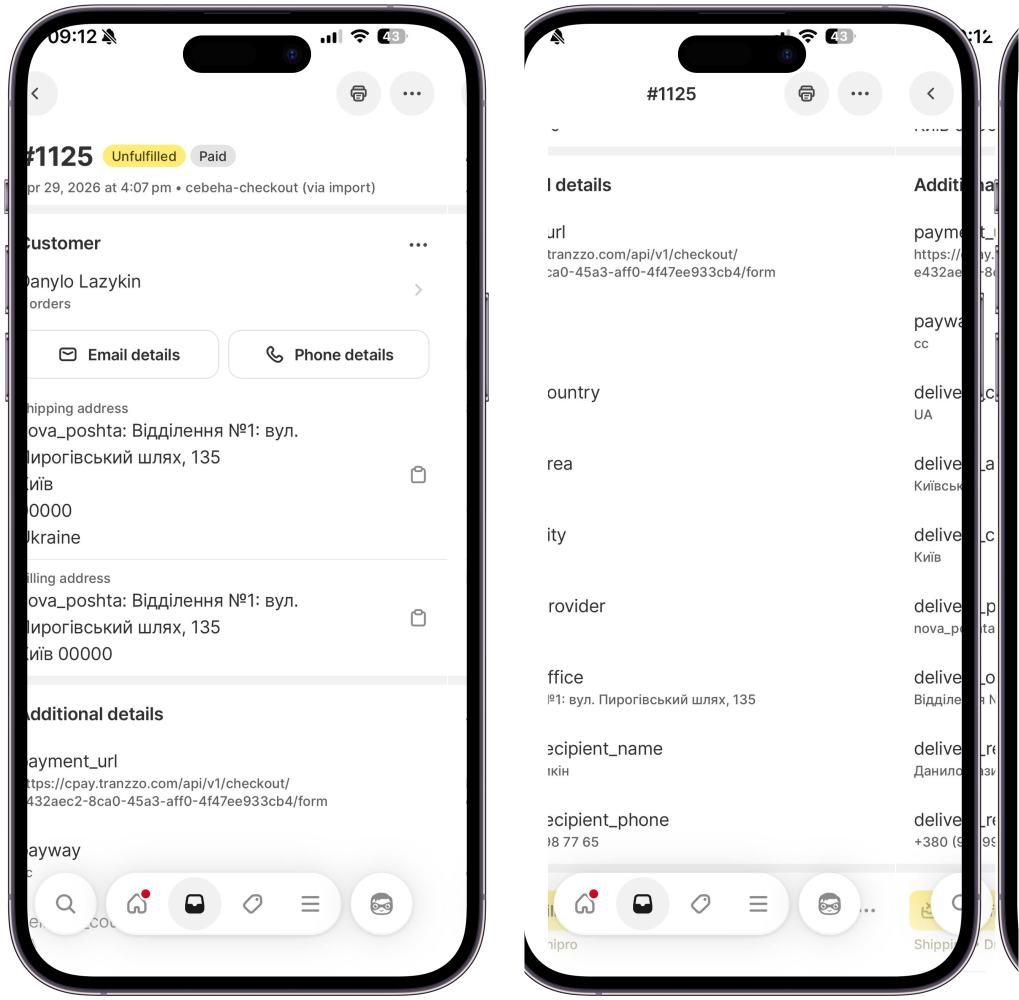
After a successful payment:
- order is created in Shopify
- status is updated to
paid - payment details are saved
- delivery details are transferred
- recipient data is stored
This ensures full synchronization between Shopify and the payment system.
Order example
Data mapping in Shopify
After payment, data is passed to Shopify and displayed in different sections.
Parameter mapping
| Parameter | Description | Shopify field |
|---|---|---|
payment_url | Checkout payment link | Additional details |
payway | Payment instrument | Additional details |
delivery_country | Delivery country | Shipping address |
delivery_area | Region | Shipping address |
delivery_city | City | Shipping address |
delivery_provider | Delivery service | Additional details |
delivery_office | Branch or address | Shipping address |
delivery_recipient_name | Recipient full name | Customer / Shipping |
delivery_recipient_phone | Recipient phone | Customer / Shipping |
customer_email | Customer email | Customer |
customer_phone | Customer phone | Customer |
Benefits of Tranzzo for Shopify
- Works in Ukraine without Shopify Payments
- Supports Apple Pay and Google Pay
- Installment payments support
- Local delivery integration
- Flexible checkout customization
- Fiscalization support
FAQ
Can I use Apple Pay on Shopify in Ukraine?
Yes, via Tranzzo.
Does Google Pay work on Shopify?
Yes, fully supported.
Can I enable installment payments?
Yes, via Monobank, PrivatBank, Oschadbank, and PUMB.
Do I need Shopify Payments?
No, this solution works as an alternative.
Technical details
The integration is based on:
- creating a payment via the Purchase method
- redirecting the customer to the payment page
- handling webhook notifications after payment
This is a standard Shopify payment integration architecture.
Get started with Shopify payments
Start accepting payments today:
👉 https://space.tranzzo.com/signup
Or contact Tranzzo for integration support.
See also: